Kubernetes for beginners, on a real cluster of your own
Skip fighting minikube and kubeadm. skube hands beginners a real, managed Kubernetes cluster to practice on, with a kubeconfig that just works: your time goes to kubectl and deploys, not to setup. From €24/mo, cancel anytime.
Skip the setup, keep the real thing
It is stock Kubernetes, not a toy or a simulator. You get full cluster-admin, so everything you learn and every manifest you write carries over to any cluster later, unchanged.
No bootstrap to babysit
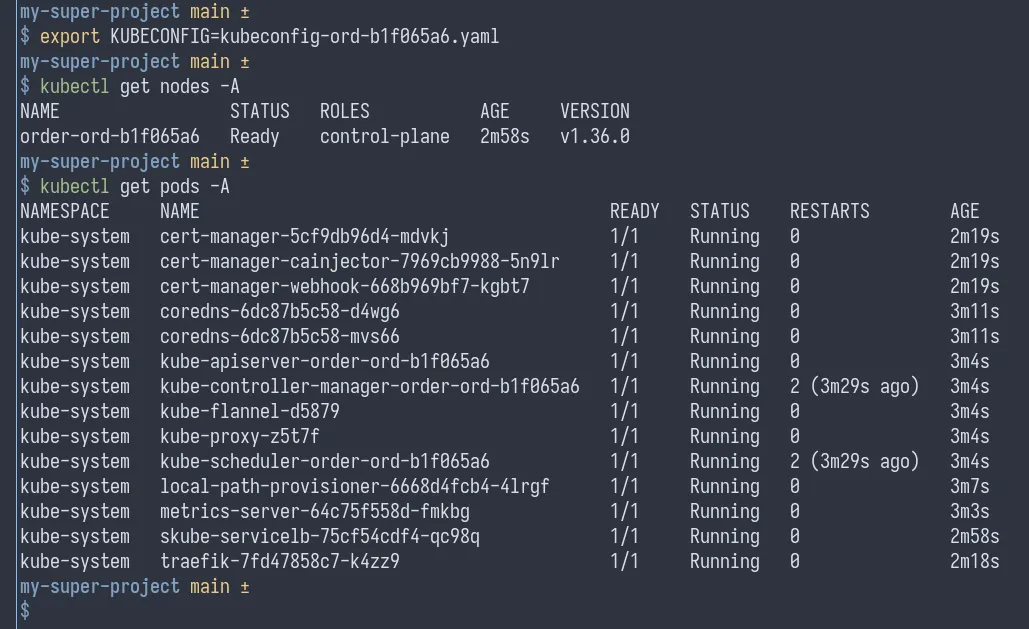
No kubeadm, no node join tokens, no CNI to wire up. We stand up the cluster and hand you a kubeconfig that already works.
Learn the standard tools
kubectl, Deployments, Services, ingress and CRDs behave exactly as they do on the big clouds, because it is the same Kubernetes.
kubectl apply -f ./manifestsWhy not just minikube?
minikube dies when your laptop sleeps and lives behind localhost. Your skube cluster runs around the clock with a real public IP and real ingress: deploy something, send the link to a friend, and it is still up tomorrow. Enough for a real dev, staging or early production environment, not just practice.
From order to kubeconfig in three steps
Pick a size
Pick a cluster size and place your order.
We provision it
We stand up a fresh cluster for you, verify it is healthy, and email you the moment it is live: typically within hours, always within one business day.
Get your kubeconfig
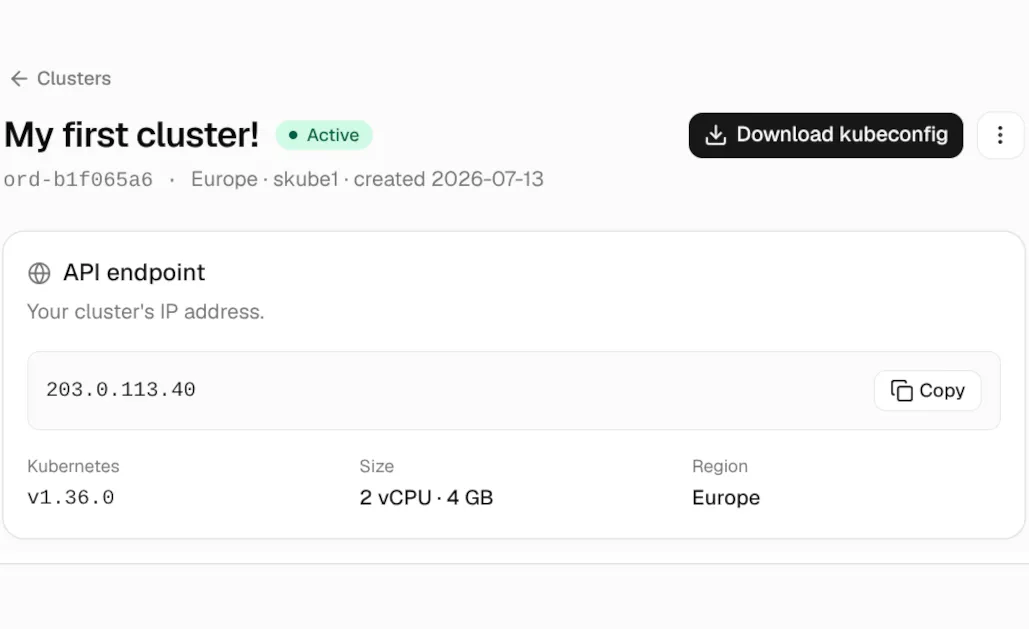
Download your kubeconfig from the dashboard, and start shipping.
Start from €24/mo
One flat price per cluster, billed monthly. A dedicated single-tenant cluster on its own server. Cancel anytime.
skube1
2 vCPU · 4 GB · 40 GB SSD
A handful of small apps: side projects, staging, experiments.
- ✓ Single-tenant cluster
- ✓ Full cluster-admin
- ✓ Ingress included
- ✓ 20 TB traffic included
- ✓ Nightly backups
- ✓ Email support
- ✓ Cancel anytime
skube2
4 vCPU · 8 GB · 80 GB SSD
Early production: an app with real users, side projects alongside.
- ✓ Single-tenant cluster
- ✓ Full cluster-admin
- ✓ Ingress included
- ✓ 20 TB traffic included
- ✓ Nightly backups
- ✓ Email support
- ✓ Cancel anytime
skube3
8 vCPU · 16 GB · 160 GB SSD
A busy cluster: many apps and bigger databases, side by side.
- ✓ Single-tenant cluster
- ✓ Full cluster-admin
- ✓ Ingress included
- ✓ 20 TB traffic included
- ✓ Nightly backups
- ✓ Email support
- ✓ Cancel anytime
Cancel anytime; EU consumers have a 14-day right of withdrawal.
Is one node enough?
For dev, staging and early production: yes. Each cluster runs on its own dedicated server, and even the smallest size (2 vCPU / 4 GB) comfortably runs a typical web app, its database and ingress for your first few thousand users. Bigger sizes go up to 8 vCPU / 16 GB. And skube runs on skube: the page you are reading is served from our own single-node cluster.
If the node fails, we restore your cluster from a nightly snapshot. And when you outgrow it, order the next size up and apply the same manifests, or take them to a multi-node HA cluster anywhere, unchanged. You pay for redundancy when you need it, not before.
Frequently asked
- What if I break my cluster?
- Break it freely, that is what it is for. Worst case we restore last night’s backup or reprovision a fresh cluster, at no extra cost. You cannot break anything we cannot put back.
- How long until my cluster is ready?
- Every cluster is verified healthy by a human before handover: typically within hours of your order, always within one business day. You get an email the moment your kubeconfig is ready in the dashboard.
- Why not just run k3s on a cheap VPS?
- You can, and then you are the cluster’s sysadmin: OS patching, upgrades, certificates, backups, restores when the box dies. skube costs more than a bare VPS because it deletes exactly that work. The time you spend is on Kubernetes, not on keeping Kubernetes alive.
- Can I run more than one app on a cluster?
- Yes, Kubernetes was built for that. Separate apps with namespaces and route each domain through the included ingress controller. Even a skube1 comfortably runs several small apps side by side; the only limit is the node’s resources. One flat price, as many apps as fit.
- Is my data backed up?
- We keep nightly snapshots of your whole cluster (the last 7 days) as disaster recovery: if the server fails, we restore it. Treat them as a safety net, not an archive; a restore brings back the whole node as of last night, not single files. For anything you cannot afford to lose, also run your own backup tooling, you have full cluster-admin.
- How does billing work?
- A flat monthly price per cluster, VAT included, nothing on top. Creating an account is free; you pay when you order a cluster. Cancel anytime from the dashboard and billing stops at the end of the period. No seats, no egress metering: 20 TB of traffic is included, and if you regularly push past it we will talk to you first, never surprise-bill.
Ready to learn on a real cluster?
Tonight it's a kubeconfig. This weekend it's your app on a real URL you can send to anyone.
Create a clusterFree account; pay only when you order a cluster. Questions first? Email support@skube.dev, a human answers.